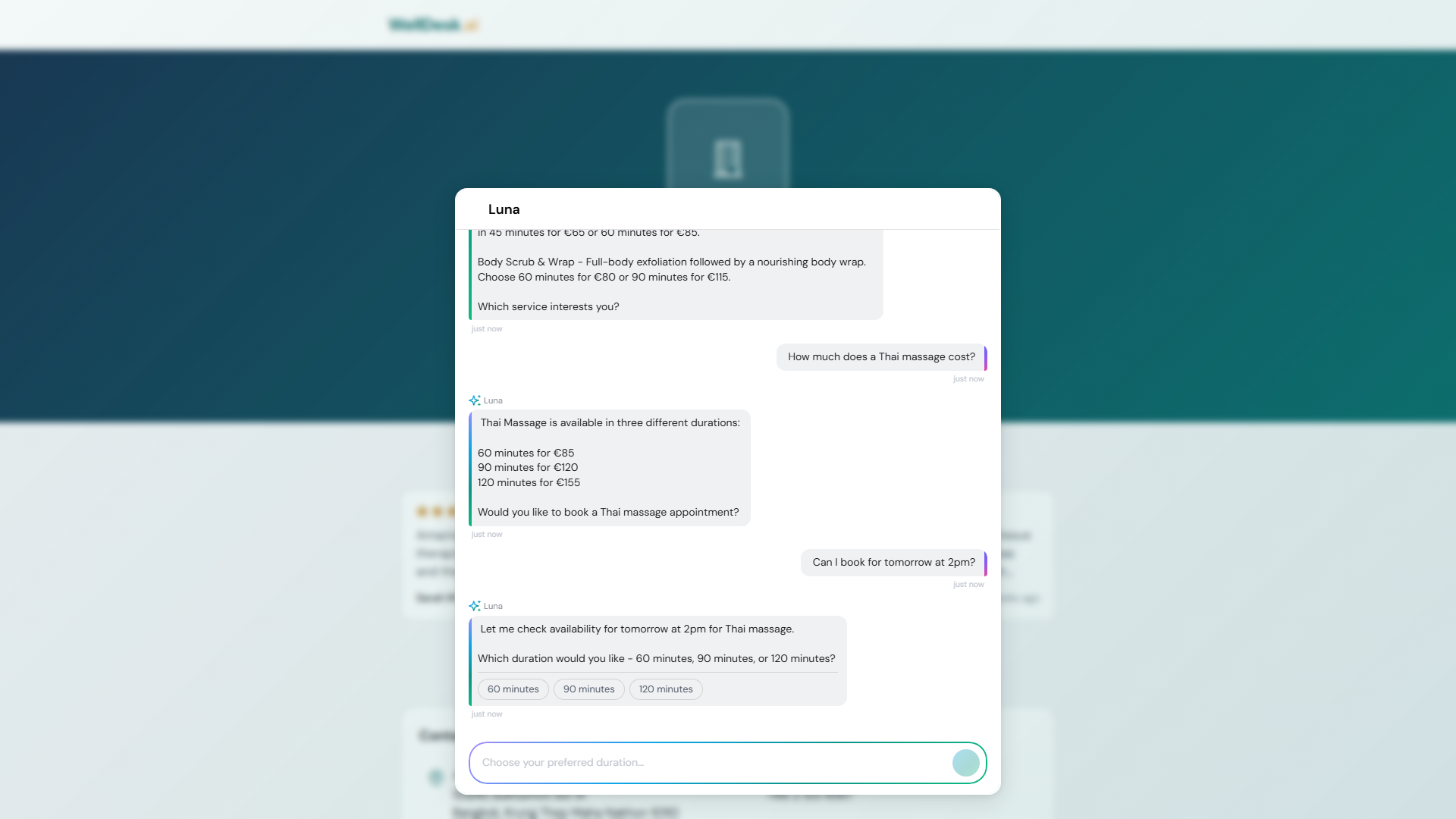
The WellDesk AI Chat Assistant is an intelligent virtual assistant that appears on your public booking page. It helps clients who aren’t sure which service to choose, answers common questions about your business, and guides them through the booking process — all without any involvement from your team.
What the AI assistant does
The AI assistant can:
- Answer questions about your services — “What’s the difference between a Swedish massage and a deep tissue massage?” “How long does a facial take?”
- Make personalised recommendations — “I have lower back pain and haven’t had a massage before. What do you recommend?”
- Explain your policies — cancellation window, deposit requirements, what to bring
- Help with booking navigation — guide clients to the right service and available time slots
- Capture enquiries — if a client asks something the AI can’t answer, it collects their contact details so you can follow up
What the AI assistant knows
The assistant is trained on:
- Your service menu — names, descriptions, durations, prices
- Your shop information — business name, address, phone, hours
- Your policies — cancellation policy, deposit requirements
- General wellness and spa knowledge to help clients understand treatments
Note: The AI does not have access to individual client records, booking history, or financial information.
Enabling the AI chat assistant
- Go to Online Booking → Settings.
- Find the AI Chat Assistant section.
- Toggle Enable AI Assistant to on.
- Click Save Settings.
The chat bubble appears in the bottom right corner of your public booking page immediately.
Customising the assistant
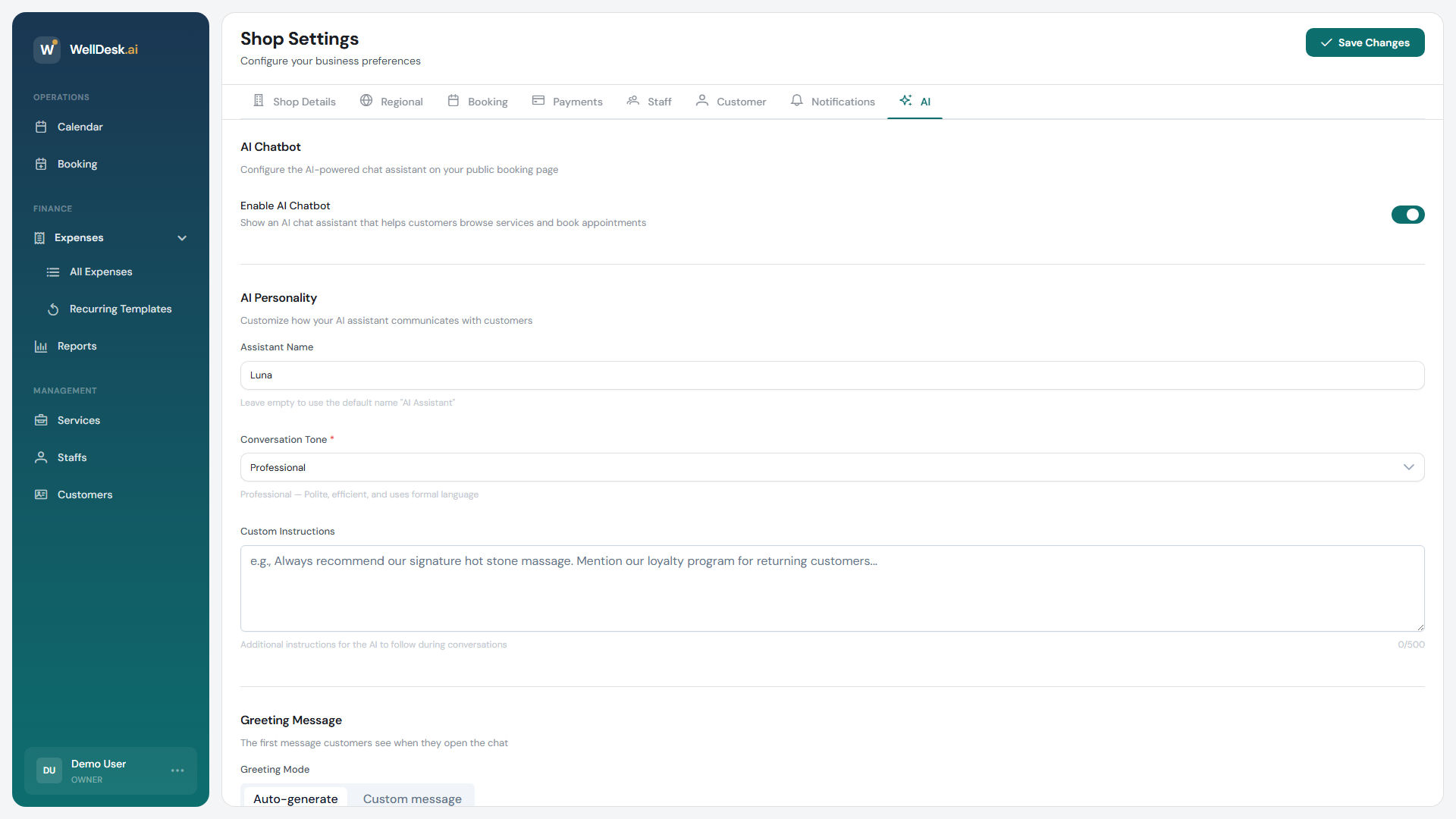
Welcome message
Set a custom greeting that the assistant uses when a client opens the chat:
- In Online Booking → Settings → AI Assistant, click Edit Welcome Message.
- Write your greeting (e.g. “Hi! I’m Aria, your booking assistant at Serenity Spa. How can I help you today?”).
- Click Save.
Assistant name
Give the assistant a name that fits your brand. Common choices are wellness-themed names like “Aria”, “Zen”, or simply your business name followed by “Assistant”.
Fallback message
Configure what the assistant says when it can’t answer a question — this message should direct clients to your phone number or email.
Monitoring conversations
You can review AI chat conversations in Online Booking → Chat History. This is useful for:
- Identifying common questions (consider adding them to your service descriptions)
- Checking what queries the AI couldn’t answer
- Following up on clients who left their contact details
Privacy and data
Client conversations with the AI assistant are stored for 90 days and then automatically deleted. Conversation data is not used to train any AI models. WellDesk’s data handling complies with GDPR.
Tips and best practices
- Write detailed service descriptions — the better your service descriptions, the more accurately the AI can explain and recommend treatments.
- Enable the assistant on your busiest period — if you’re running a holiday promotion, the AI can field the surge in enquiries while you focus on in-salon clients.
- Review chat history monthly — the questions clients ask reveal gaps in your public information. Add answers to your service descriptions or FAQs.
FAQ
Can the AI complete a booking on behalf of the client? The AI guides clients to the right service and time slot, but the client confirms the booking themselves. It doesn’t create bookings without explicit client action.
Does the AI respond in other languages? The AI defaults to the language set in your shop’s locale settings but can respond in multiple languages if a client writes in a different language.
Can I turn off the AI assistant temporarily? Yes. Go to Online Booking → Settings → AI Assistant and toggle it off. The chat bubble disappears from your booking page immediately.