Online Presence settings help clients find your business through search engines and social platforms. Completing this section improves your visibility on Google, ensures your booking page looks good when shared on social media, and connects your WellDesk profile with your Google Business listing.
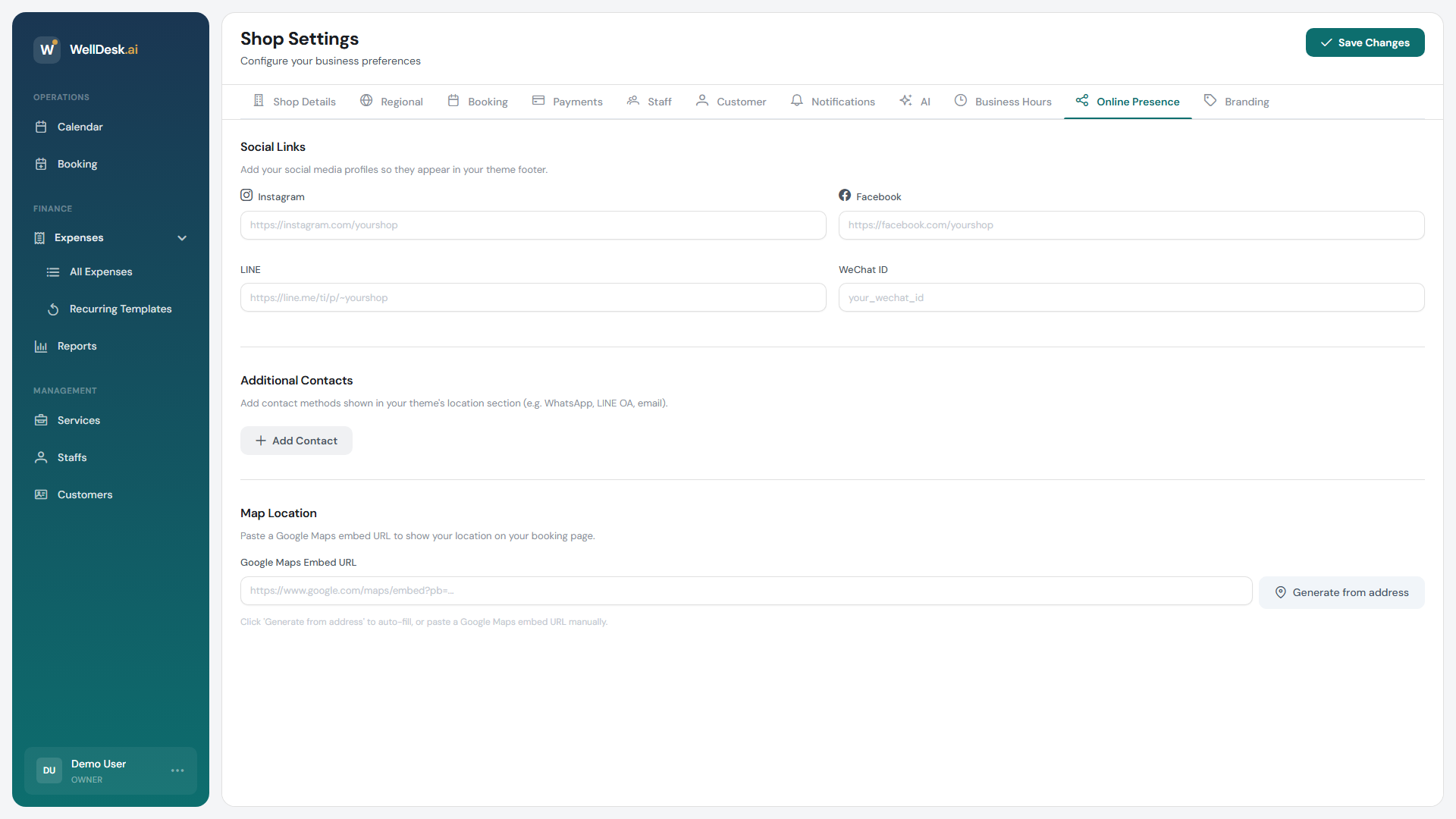
Accessing Online Presence settings
- Go to Settings in the main navigation.
- Click the Online Presence tab.
SEO settings
Search engine optimisation (SEO) controls how your booking page appears in Google search results.
| Field | Description | Tips |
|---|---|---|
| Page title | The title shown in search results and browser tabs. | Include your business name and main service (e.g. “Lotus Spa — Massage & Beauty in Bristol”). Keep under 60 characters. |
| Meta description | The short summary shown beneath the title in search results. | Describe what you offer and your location. 120–155 characters works best. |
| Keywords | Optional comma-separated keywords. | Focus on services and location (e.g. “massage Bristol, beauty salon Clifton”). |
Click Save Changes after updating. Changes typically appear in search results within a few days to weeks, depending on Google’s indexing schedule.
Social media links
Add links to your social media profiles so they appear as icons in the footer of your public booking page. This helps clients follow you and discover your content.
Supported platforms:
- TikTok
- Twitter / X
- YouTube
Enter the full URL for each profile (e.g. https://instagram.com/yoursalonhandle). Leave a field blank to hide that icon. Changes take effect immediately on your booking page.
Google Business integration
Connecting your Google Business Profile lets you display your WellDesk booking link directly in your Google Maps listing and Search results — clients can book without leaving Google.
- Click Connect Google Business.
- Sign in with the Google account that manages your Google Business Profile.
- Select your business location from the list.
- Click Connect.
Once connected, your WellDesk booking URL appears as a Book button on your Google listing. Bookings made via Google are recorded in WellDesk exactly like any other online booking.
Note: Google Business integration requires an active, verified Google Business Profile. If your listing is unverified, complete verification in Google Business Manager first.
Tips and best practices
- Include your city or neighbourhood in the page title — local search terms (“nail salon Shoreditch”) drive highly relevant traffic. Clients searching near your location are ready to book.
- Write the meta description as a call to action — end with something like “Book online in seconds.” to encourage clicks.
- Keep social links up to date — a broken or missing link looks unprofessional. Check that all linked profiles are active before enabling them.
- Prioritise Google Business connection — for most local businesses, Google Maps is the primary discovery channel. The Book button reduces friction between discovery and conversion significantly.