Payment Settings control which payment methods your business accepts, whether deposits are required at booking, and any instructions you want to display to clients at checkout. Configuring this section correctly reduces payment disputes and sets clear expectations before a client arrives.
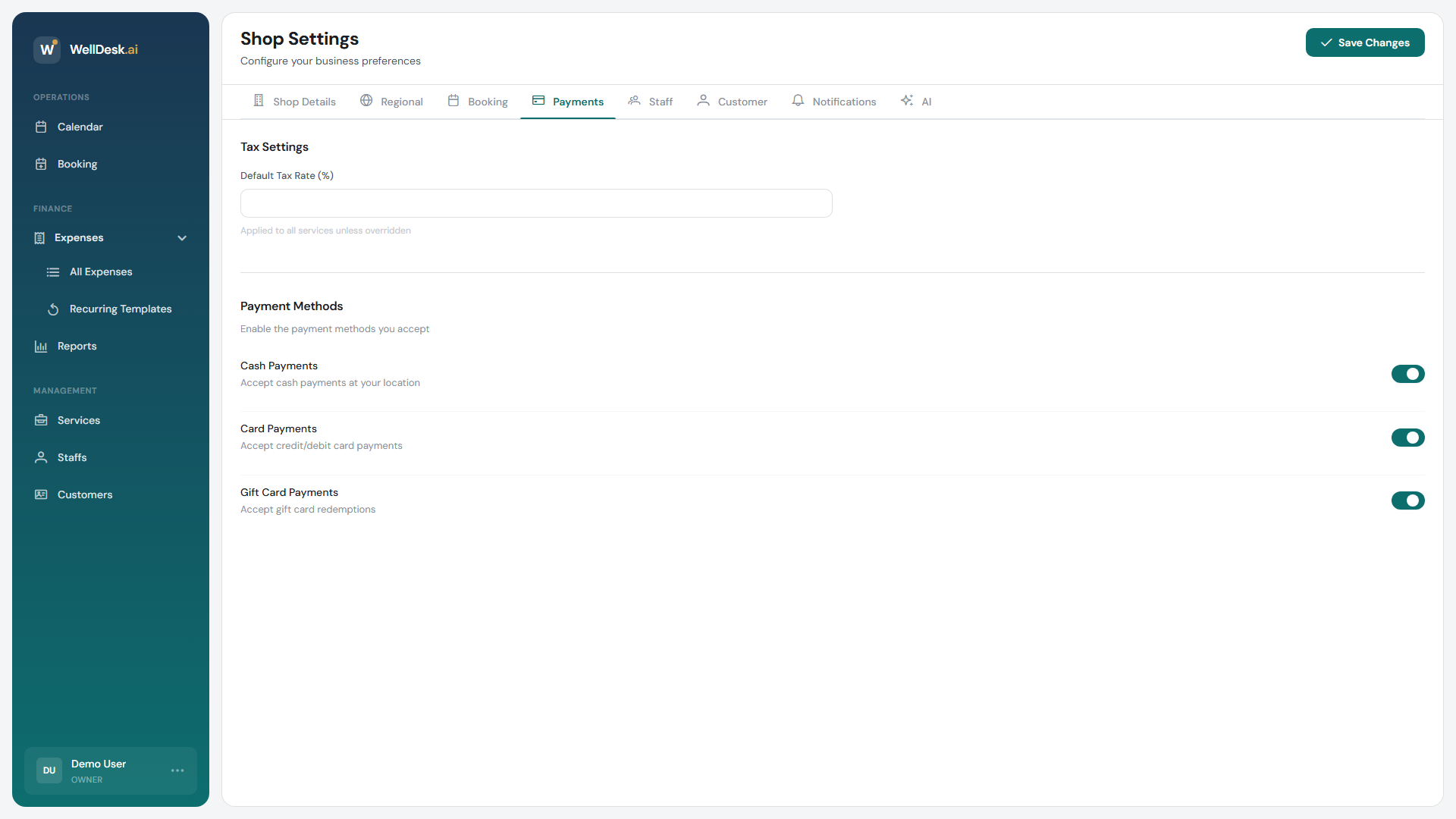
Accessing Payment Settings
- Go to Settings in the main navigation.
- Click the Payments tab.
Accepted payment methods
Enable the payment methods your business accepts. Clients will see available options on your booking page and on receipts.
| Method | Notes |
|---|---|
| Cash | Payment collected in person at time of service. |
| Card | In-person card payments processed through your own terminal. |
| Bank transfer | Client transfers funds directly; you reconcile manually. |
| Online payment | Card payments collected at the time of online booking (requires a connected payment gateway). |
Toggle each method on or off. At least one method must remain active.
Note: Online payment collection requires connecting a payment gateway (such as Stripe) in Settings → Integrations. The toggle here controls whether online payment is offered at checkout — it does not configure the gateway itself.
Deposit settings
Requiring a deposit at the time of online booking reduces no-shows and protects your revenue.
- Toggle Require deposit to enable.
- Choose the deposit type:
- Fixed amount — a flat fee (e.g. £20).
- Percentage — a proportion of the total service price (e.g. 25%).
- Enter the deposit value.
- Click Save Changes.
The deposit is collected at the time of booking. The remaining balance is settled on the day of the appointment using your accepted in-person methods.
Tip: A deposit of 20–30% strikes a balance between commitment from the client and not creating a barrier to booking. For high-value services (e.g. full-day bookings, packages), consider a higher percentage.
Payment instructions
Add a custom message that appears on the booking confirmation page and in confirmation emails. Use this to explain your payment policy to clients in plain language.
Example:
“We accept cash and card in the salon. A 25% deposit is required to secure your booking. The remaining balance is due on the day. Cancellations with less than 24 hours notice forfeit the deposit.”
Keep instructions concise — two to four sentences is ideal.
Tips and best practices
- Enable deposits for long or high-value appointments — treatments lasting over an hour are high-risk if cancelled at short notice. A deposit makes cancellations costly for the client.
- Be explicit in payment instructions — vague policies lead to disputes. State clearly what methods you accept and what your cancellation policy means for deposits.
- Review payment settings before running offers — promotional pricing may warrant adjusting deposit amounts so the deposit remains proportionate.