There are two ways to book more than one person at the same time. Which one you use depends on how they pay.
| Couple | Several people | |
|---|---|---|
| How many | Two | Two or more |
| Bookings | One booking for both | One booking per person |
| Payment | Paid once, with a tip for each therapist | Each booking is paid on its own |
| Price | The service’s couple price | The normal price, per person |
| Treatment | The same service and length for both | The same service, length and time for everyone |
Use Couple for two people who come together and pay together. Use People for a group (friends, a family, a hen party) where each person is a booking of their own.
Both start in Create Booking. See Creating a Booking for the rest of the form.
Couple bookings
Before you start
Couple bookings need two things set up:
- A service with a couple price. Edit the service, turn on Offer for couples, and give each length a couple price for both people. A length with no couple price isn’t offered for couples.
- Team members who take couple bookings. Turn on Takes couple bookings in their profile. Only they are picked for couple bookings.
Booking a couple
- In Create Booking, set Booking for to Couple. The dialog becomes Create Couple Booking.
- Enter the name of the person who books and pays. The Guest needs no details: a second booking is made for them with the other therapist.
- Pick the service. Only services offered for couples are listed, and each length shows the price for two.
- Pick a day and time. The list shows times when two therapists who take couple bookings, and a couple room if you use rooms, are free together. For a time that isn’t in the list, use Custom time (see below).
- Under Therapists, choose who goes With the person who booked and who goes With the guest. Leave either one on Any available and a free therapist is picked when you save.
- Click Create couple booking.
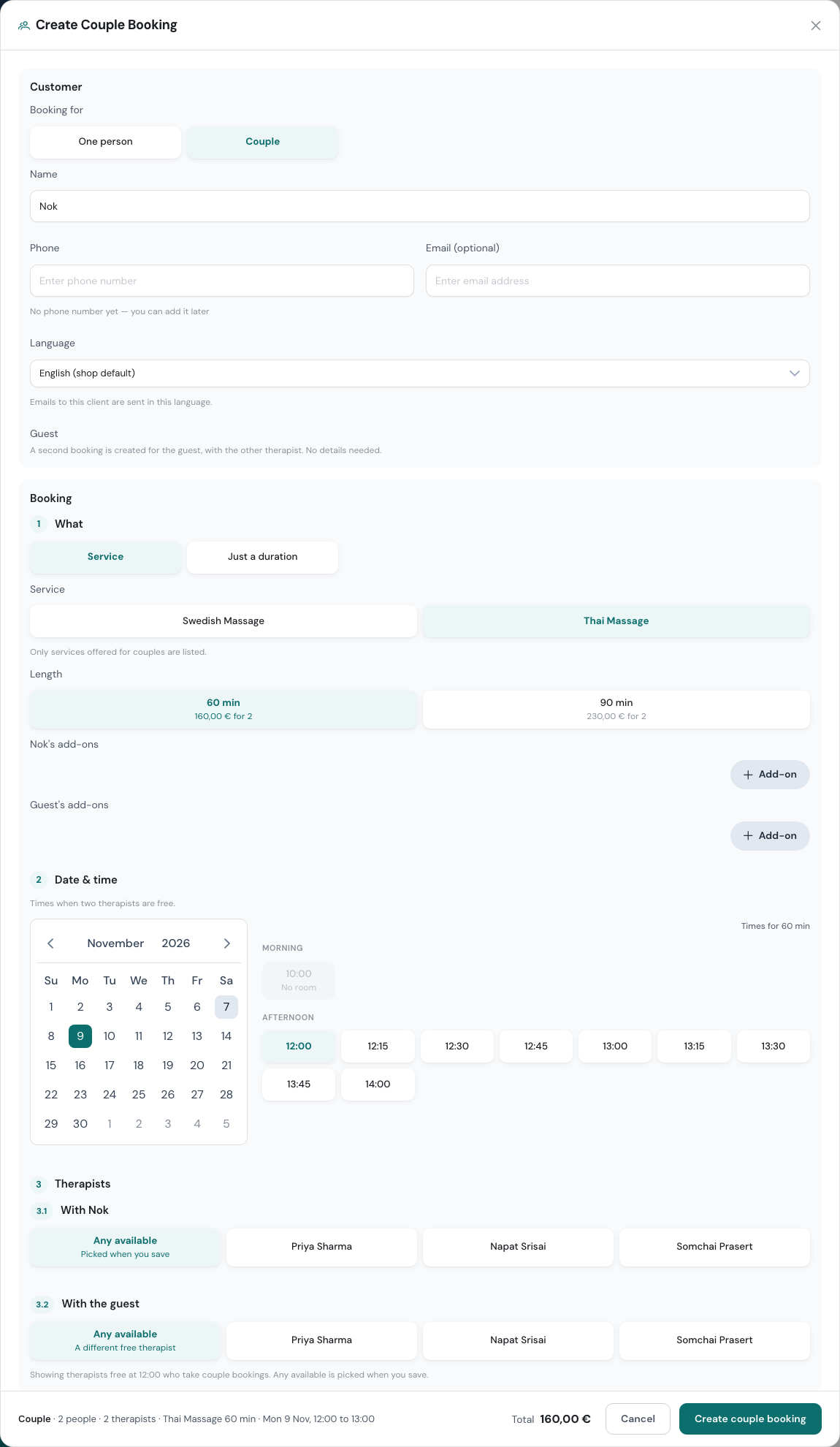
Each person can have their own add-ons. A note saying it was booked as a couple is added to the private notes for you.
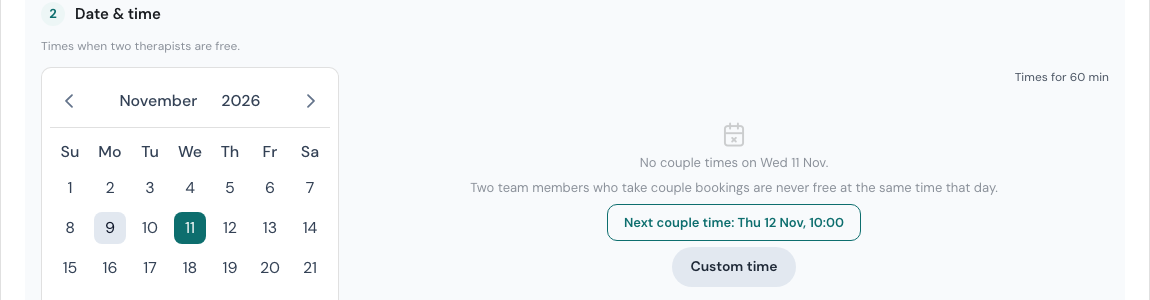
If no time works, the dialog says why, for example “Only one team member who takes couple bookings is working that day”, and suggests the next couple time.
Times with no break
Your usual gap between bookings can hide a couple time that would otherwise work, for example when both therapists finish another booking at 19:00 and the couple wants 19:00. Those times are listed too, marked with who would have no break, such as “No break for Sunita, Eva” or “No break in the couple room”.
Pick one and the dialog explains it: “The 15 min gap is skipped for this booking only. The shop’s gap setting stays as it is.” Times blocked for any other reason, such as an overlap, someone off shift or no free room, stay hidden.
A couple at a custom time
Owners, admins and Front desk team members can book a new couple at any time with Custom time, just as for one person. Use it to:
- record a couple that already happened. The list only offers couple times from now on; for an earlier time, Custom time is the way in.
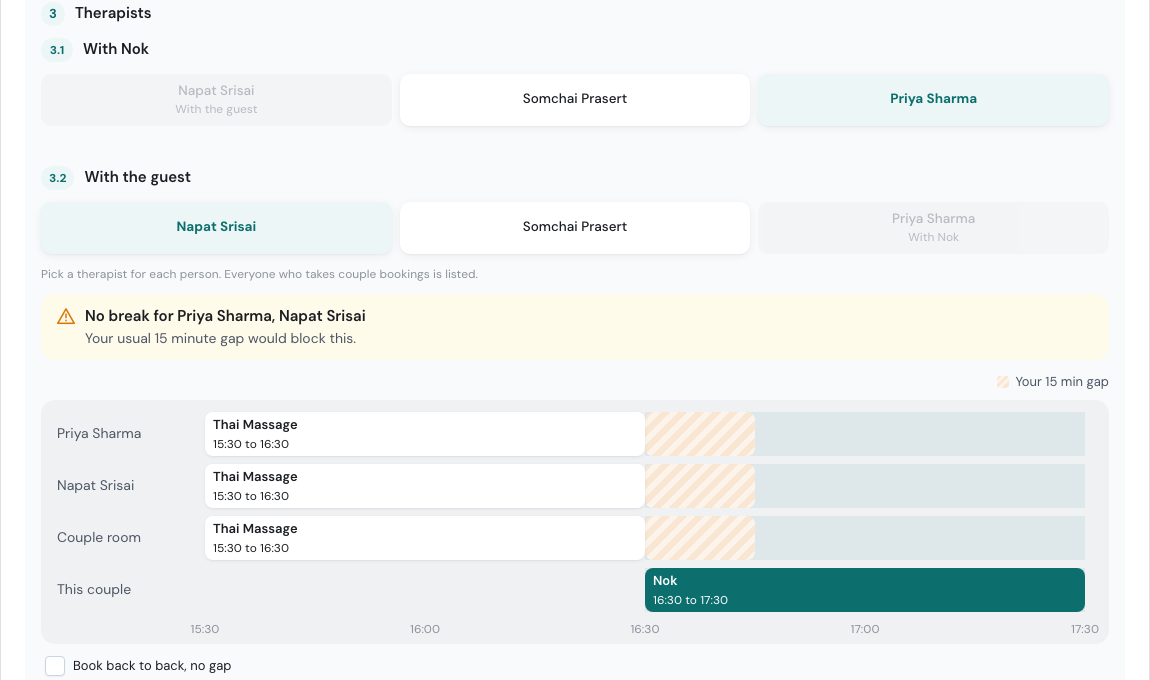
- book back to back. If a therapist or the couple room is free only without your usual gap, tick Book back to back, no gap. It covers both therapists and the room.
- book outside your opening hours.
With a custom time you pick both therapists yourself: everyone who takes couple bookings is listed, and the button at the bottom says Pick a therapist until you have. If the time doesn’t fit, a message says why, for example “No break for Priya Sharma, Napat Srisai”, and a small timeline shows the bookings in the way, the gap, and the couple room when it’s part of the problem. When no couple room is free at all, the message is “No couple room is free at this time. Pick another time.”
Custom time is for new couple bookings. When you edit a couple, its times follow the usual rules.
Your online booking page offers the same thing: services with a couple price show For two people, at times when two therapists are free.
Paying for a couple
A couple booking is completed once, for both people. The client pays one amount, and you can enter a tip for each therapist. Commission goes to both therapists. See Completing a Booking.
Changing or cancelling a couple booking
Owners, admins and Front desk team members can change or cancel a couple booking.
- Edit keeps both therapists. You can change either one, or swap one with a busy therapist. See Swapping with a busy therapist.
- Cancel Booking cancels it for both people and frees both therapists. The person who booked gets one cancellation email.
Splitting a couple booking
When plans change (one of them wants a different treatment, or doesn’t turn up), an owner or admin can open the booking and choose Split into two bookings. Each person then gets their own booking at the same time with the same therapist. For each one you can set:
- Having a massage, and change their treatment,
- Not having one, which cancels their booking, or
- No-show, once the booking has started.
The new total is shown before you confirm.
Booking several people
- In Create Booking, keep Booking for on One person and fill in the client, service and time as usual.
- Under People & therapists, choose how many People are coming. You can only pick as many as there are therapists free at that time (and rooms, if your shop uses them).
- Pick a therapist for each person, or leave them on Any available. Each person gets a different free therapist.
- Click Create 3 bookings (the number matches your choice).
Everyone gets the same client, service and time, each with their own therapist and their own booking. A note listing who was booked together is added to each booking’s private notes. If you add a deposit, it applies to the first person only.
Bookings made together
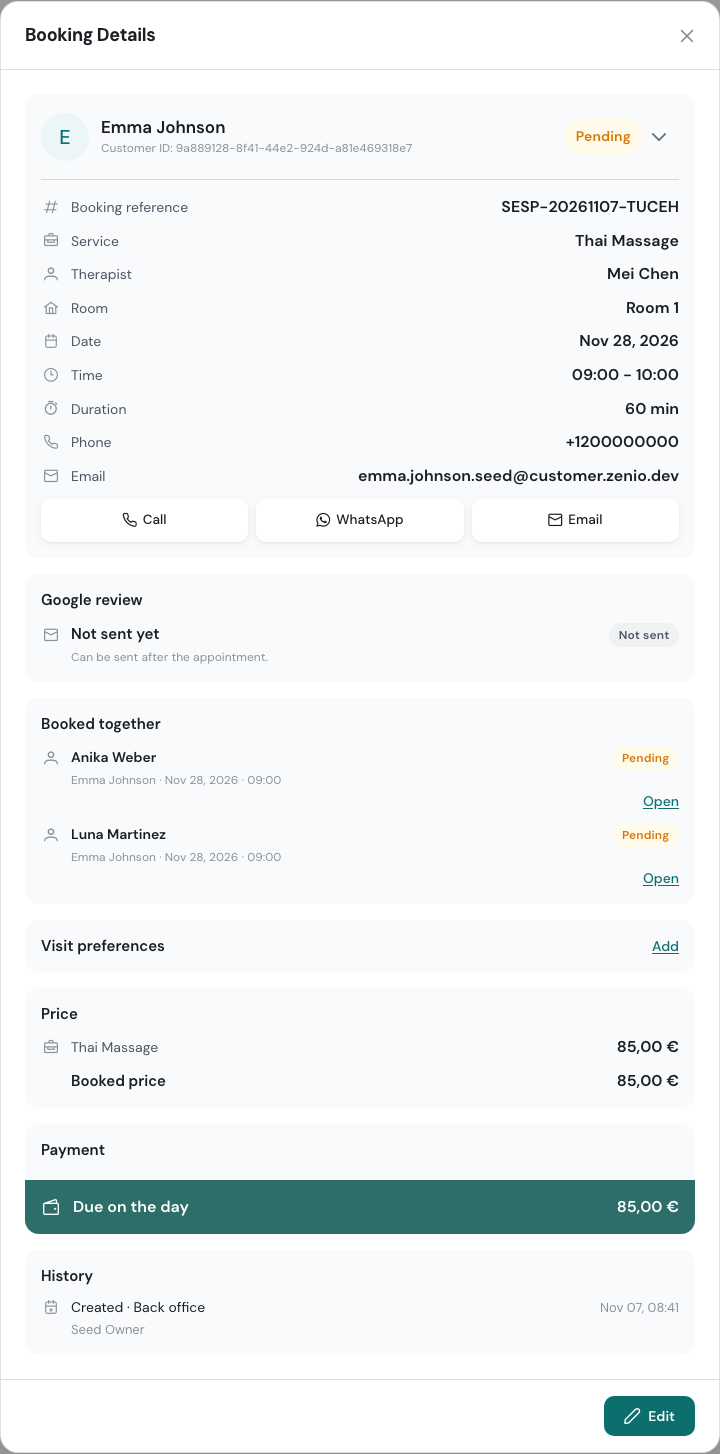
Open any of them and the Booked together card lists the others, with Open to jump to each one.
When you change the time of one of them, WellDesk asks what to Change for: Just this booking or All 3 bookings. Moving all of them keeps everyone’s therapist and length. If someone in the group isn’t free at the new time, nothing is moved.
Cancelling works the same way: cancel just this booking, or all of them at once. Cancelling all of them is for owners and admins only, and bookings already completed or cancelled stay as they are.
Each booking in a group is completed and paid on its own.