If you have more therapists than treatment rooms, two people can be free at 15:00 while only one room is. Rooms stop that. With Use rooms on, every booking gets a room, and a time is only offered when a room that fits is free.
The Rooms tab appears once at least two people in your shop can take bookings. A solo shop doesn’t see it and doesn’t need it.
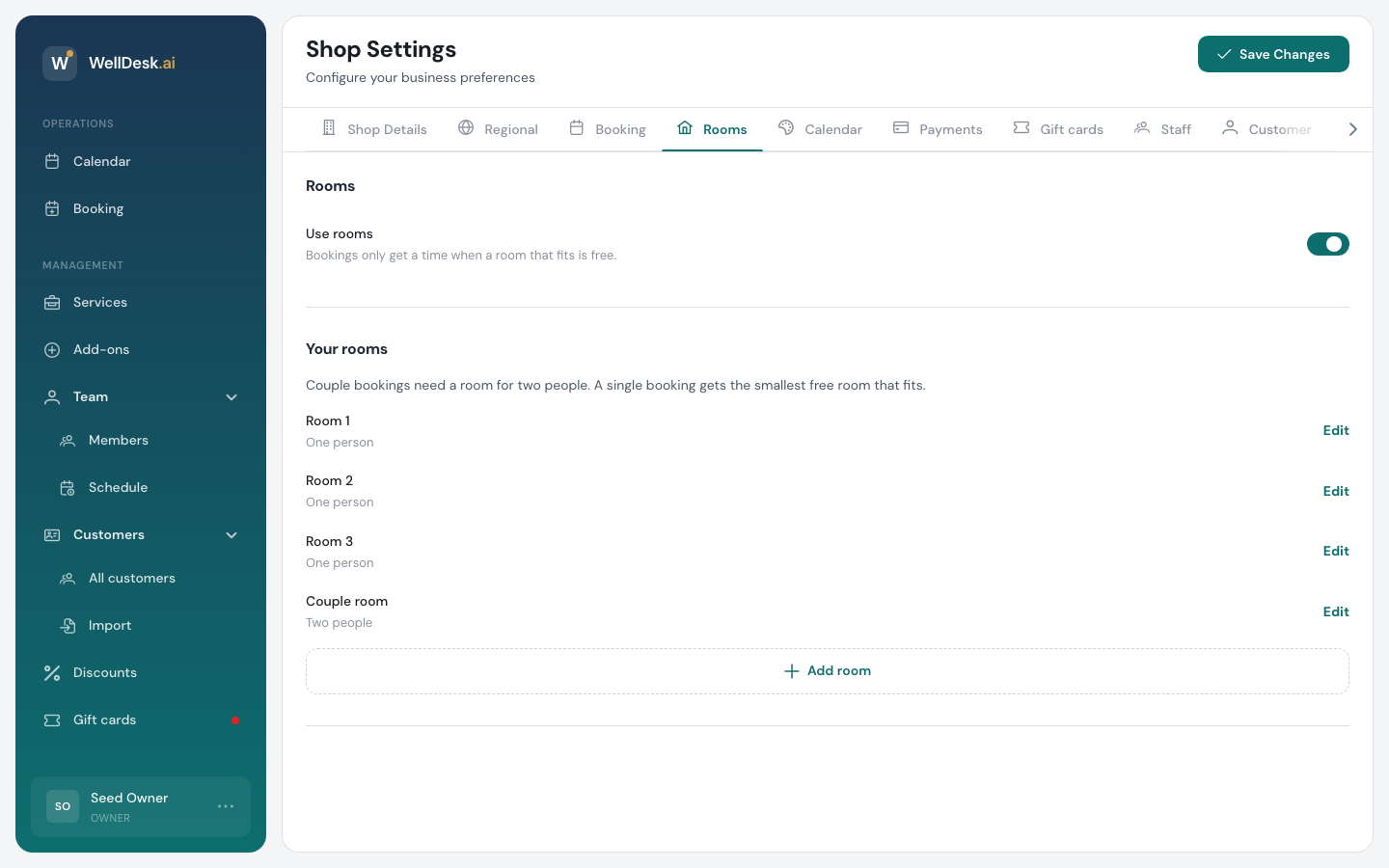
Opening the settings
On a computer: click your name at the bottom of the sidebar, choose Settings → Shop, and open the Rooms tab.
On a phone: Menu → Shop settings → Rooms.
The Rooms tab saves as you go. You don’t need Save Changes.
Adding your rooms
- Click Add room.
- Give it a Name, such as Room 1 or Garden room. Two rooms can’t share a name.
- Pick a Size: One person or Two people.
- Save.
A room for Two people is a couple room. Couple bookings only use couple rooms. A single booking can use a couple room too, but WellDesk gives it the smallest free room that fits, so couple rooms stay free for couples as long as possible.
To rename a room or change its size, click Edit next to it.
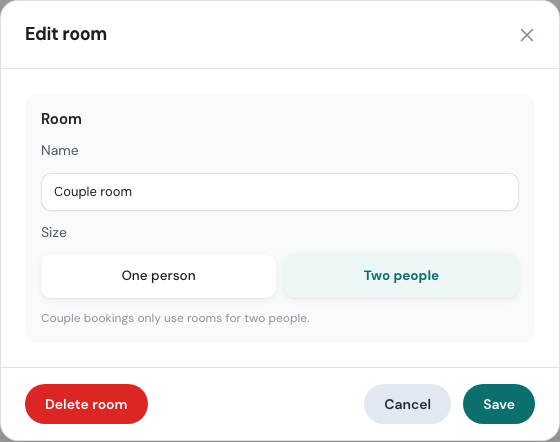
On a phone, tap the room in the list to edit it.
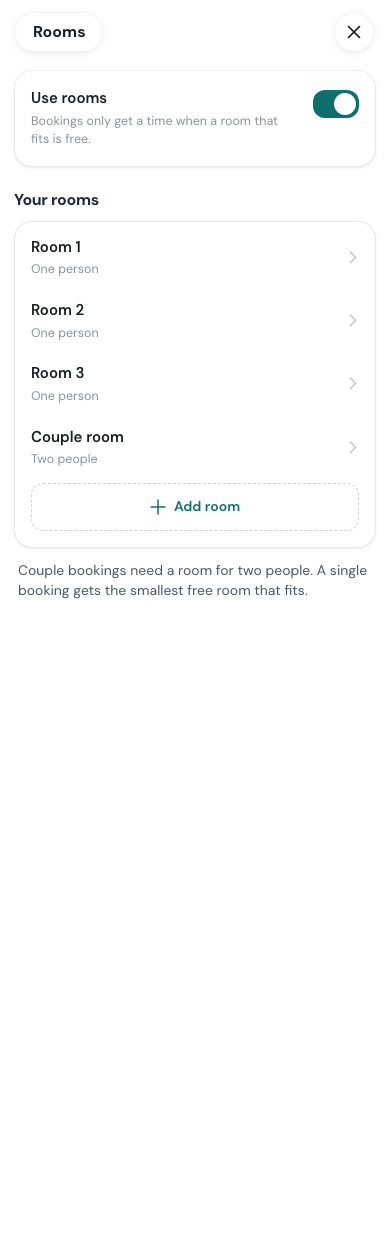
Turning rooms on
Switch on Use rooms. WellDesk then tries to give a room to every upcoming booking you already have, and tells you how it went:
- how many upcoming bookings got a room, and
- which ones couldn’t get one, because no room that fits was free at their time.
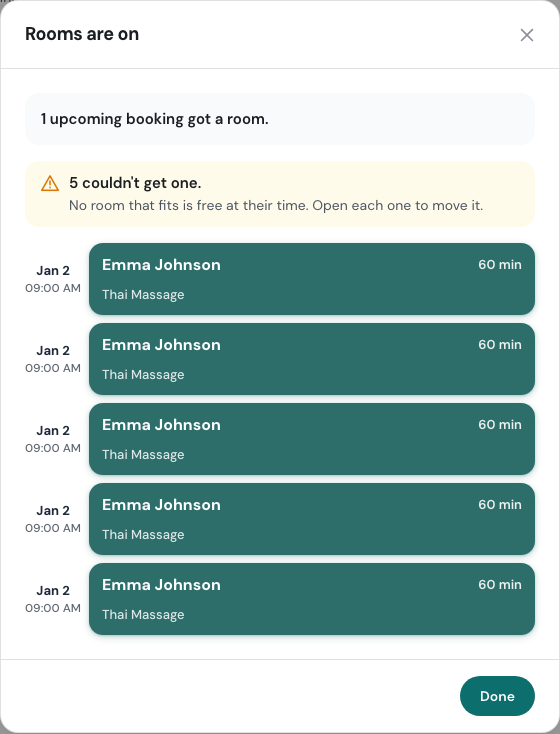
Open each booking in that list and move it, or pick a room for it. Until you do, the booking shows No room is free for this booking with a Pick a room button.
How bookings get a room
- Online bookings only offer times when a room that fits is free. If your therapists are free but every room is taken, that time doesn’t appear.
- Bookings your team makes also need a free room. In New Booking, a time with no free room says No room, and if every room is full that day you see All rooms are booked on that date with a button for the next free time.
- WellDesk picks the room for you: the smallest free room that fits. The room shows on the booking and on its block in the calendar, and you can change it in Edit.
Limiting a service to some rooms
Some treatments need a particular room, such as the one with the hot stones. In the service’s settings, the Rooms section offers Any room (the default) or Only some rooms. With Only some rooms, tick the rooms that service can use. Couple bookings of that service use a couple room.
Deleting a room, or making it smaller
You can’t delete a room, or change a couple room to One person, while it has upcoming bookings. WellDesk lists them. Move them to another room first, then try again.
Services that were limited to a deleted room keep working with their other rooms.
Turning rooms off
Switch Use rooms off and WellDesk stops checking rooms. Your rooms are kept, so switching it back on later doesn’t mean adding them again.
Tips
- Add every room before you switch it on. With a room missing, WellDesk thinks you have less space than you do and turns away times you could take.
- Count a room by its beds. A room with two massage beds is a couple room. A room with one is a room for one person, however big it is.
- Check the summary. The bookings that couldn’t get a room are the ones that would have clashed.