Recording expenses alongside your takings is what turns “a busy month” into a number you can trust.
Adding an expense
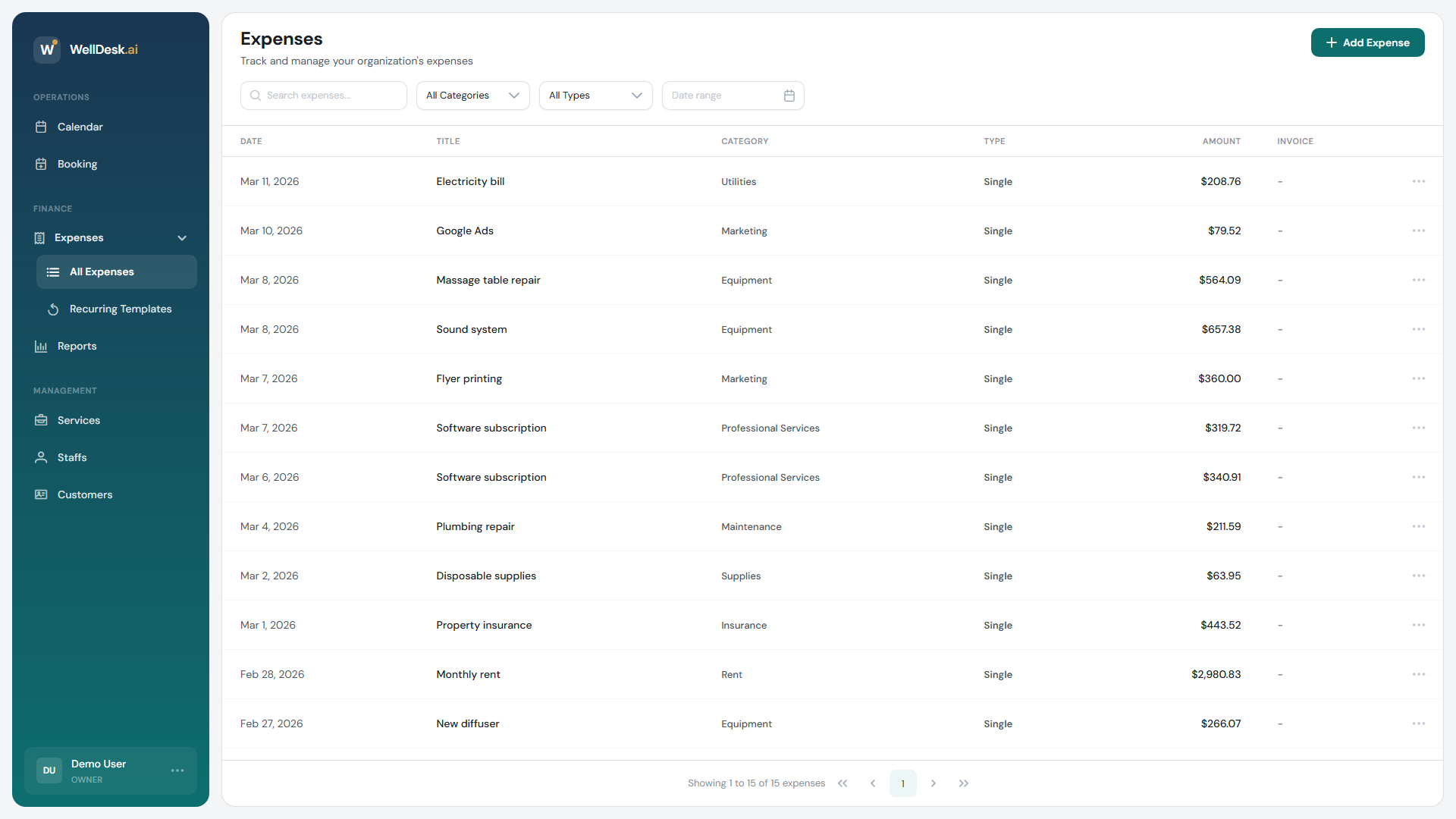
- Go to Expenses → All Expenses in the sidebar.
- Click Add Expense.
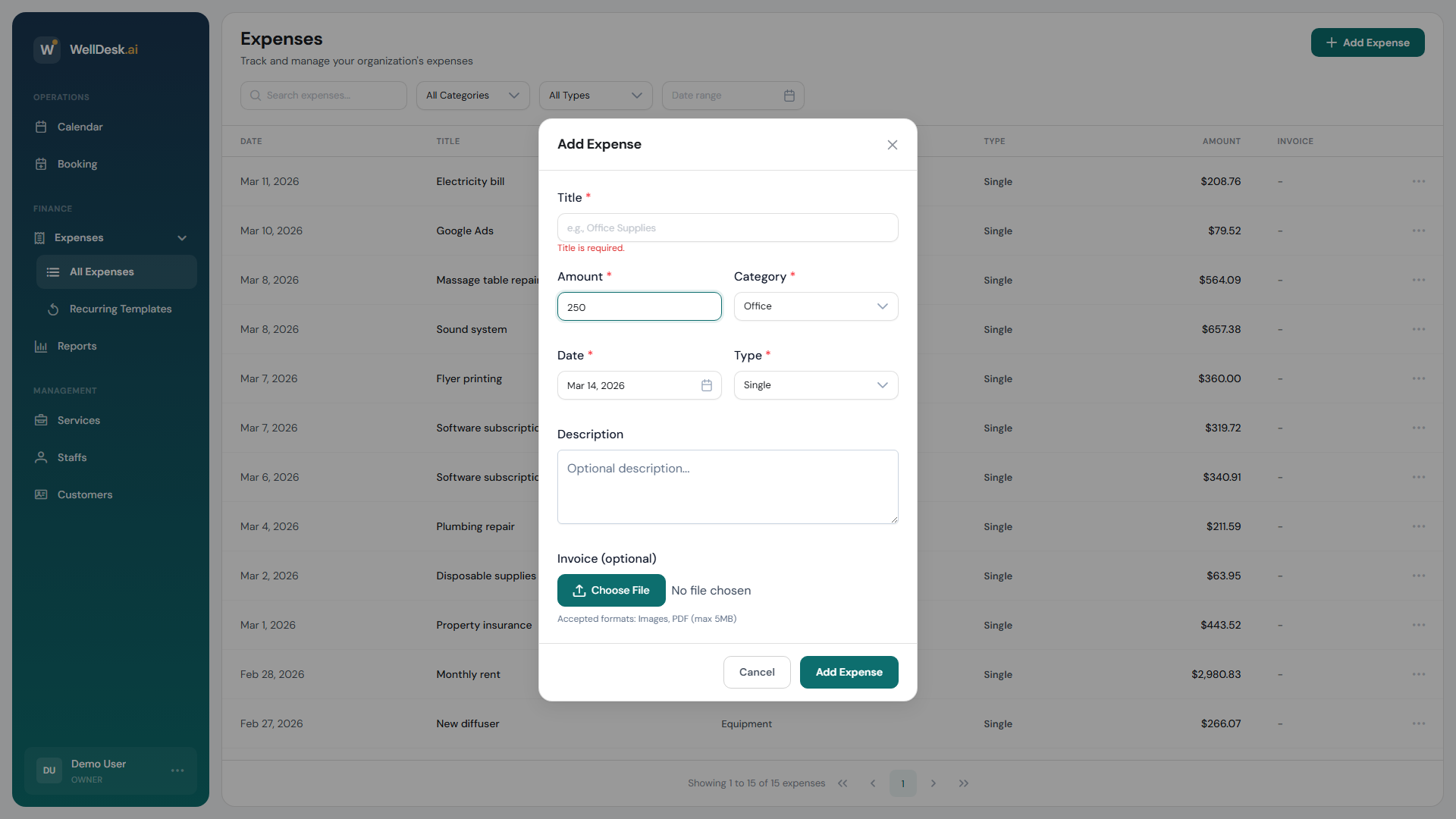
- Fill in the dialog and click Add Expense.
| Field | Required | Notes |
|---|---|---|
| Title | Yes | What it was. Up to 100 characters. |
| Amount | Yes | Must be more than 0. |
| Category | Yes | From the fixed list below. |
| Date | Yes | When it was incurred. |
| Type | Yes | Single or Recurring. |
| Description | No | Any extra context — an invoice number, a supplier, a reference. |
| Invoice (optional) | No | An image or PDF, up to 5 MB. |
There is no separate supplier field. If you want to track who you bought from, put it in the title (“Rent — 42 High Street”) or the description, and stay consistent so the search finds it later.
The categories
Office, Rent, Utilities, Equipment, Maintenance, Marketing, Insurance, Supplies, Travel, Meals, Professional Services.
That list is fixed — you cannot add your own. Pick the closest and use the title for detail.
Attaching the invoice
Choose File attaches an image or PDF, up to 5 MB. It is worth doing at the moment you record the expense; a photograph of a paper receipt taken then is one you still have at tax time.
The expenses table has an Invoice column so you can see at a glance which entries have one.
Finding expenses
Above the table:
- Search by title or description
- Category filter
- Type filter — Single or Recurring
- Date range
The footer totals whatever the filters leave on screen, which is the quick way to answer “what did we spend on marketing last quarter?”
Recurring costs
Rent, insurance, subscriptions — anything on a schedule — are better set up once as a template than typed in every month. See Recurring Expenses.
What is not there yet
- No export. There is no CSV or PDF download of your expenses. To give figures to an accountant, filter the table and use the totals, or keep your own copy alongside.
- No custom categories.
Tips
- Record them weekly. Five minutes on a Friday beats an evening in January.
- Attach the invoice while you have it. The attachment is the part nobody reconstructs later.
- Keep titles searchable. “Oil” tells you nothing in six months; “Massage oil — 5L, Bergamot” does.