Services are what customers pick when they book. You need at least one before you can take a booking at all.
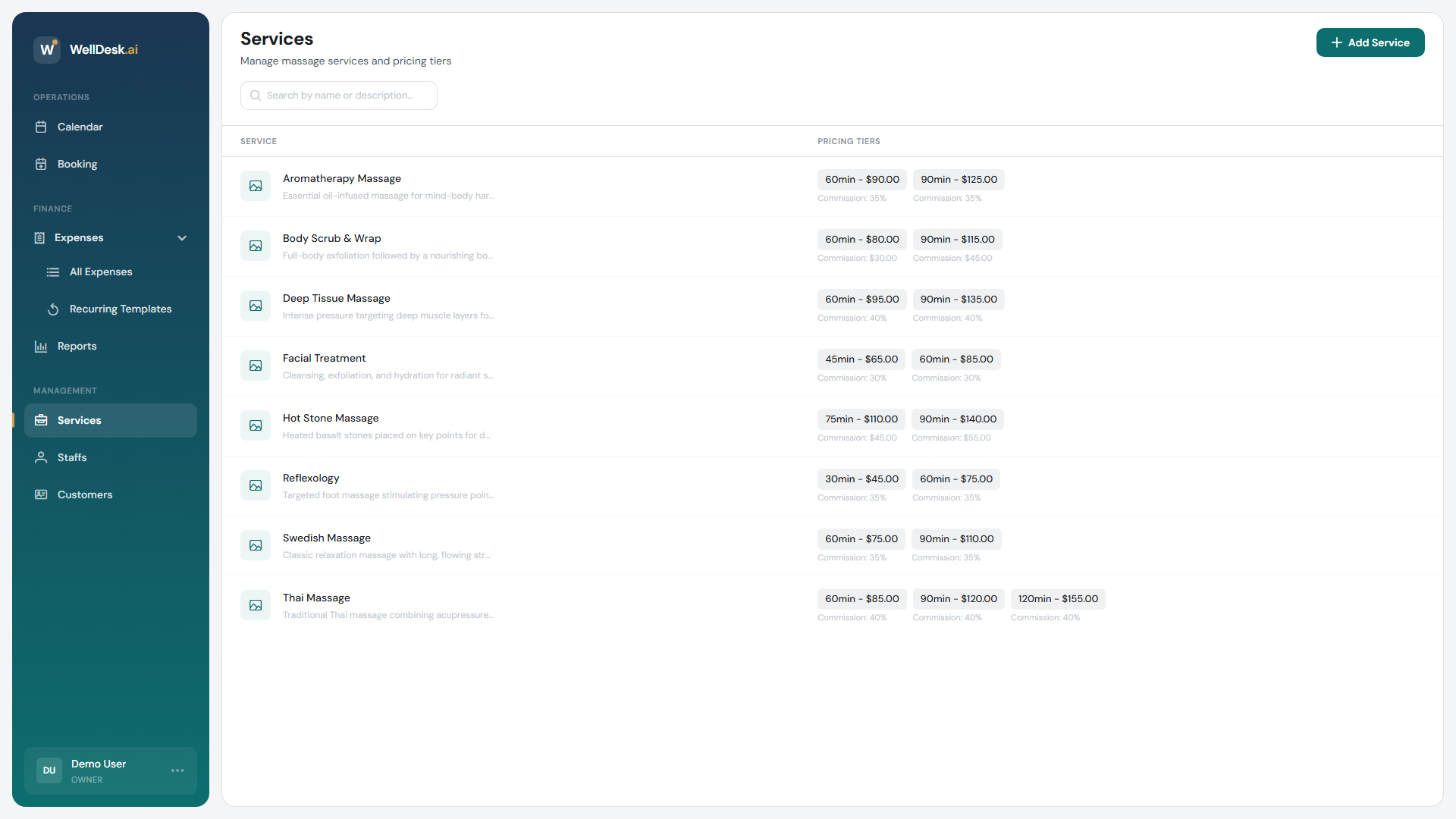
Creating a service
- Go to Services in the sidebar.
- Click Add Service.
- Fill in the Add New Service dialog.
- Click Create Service.
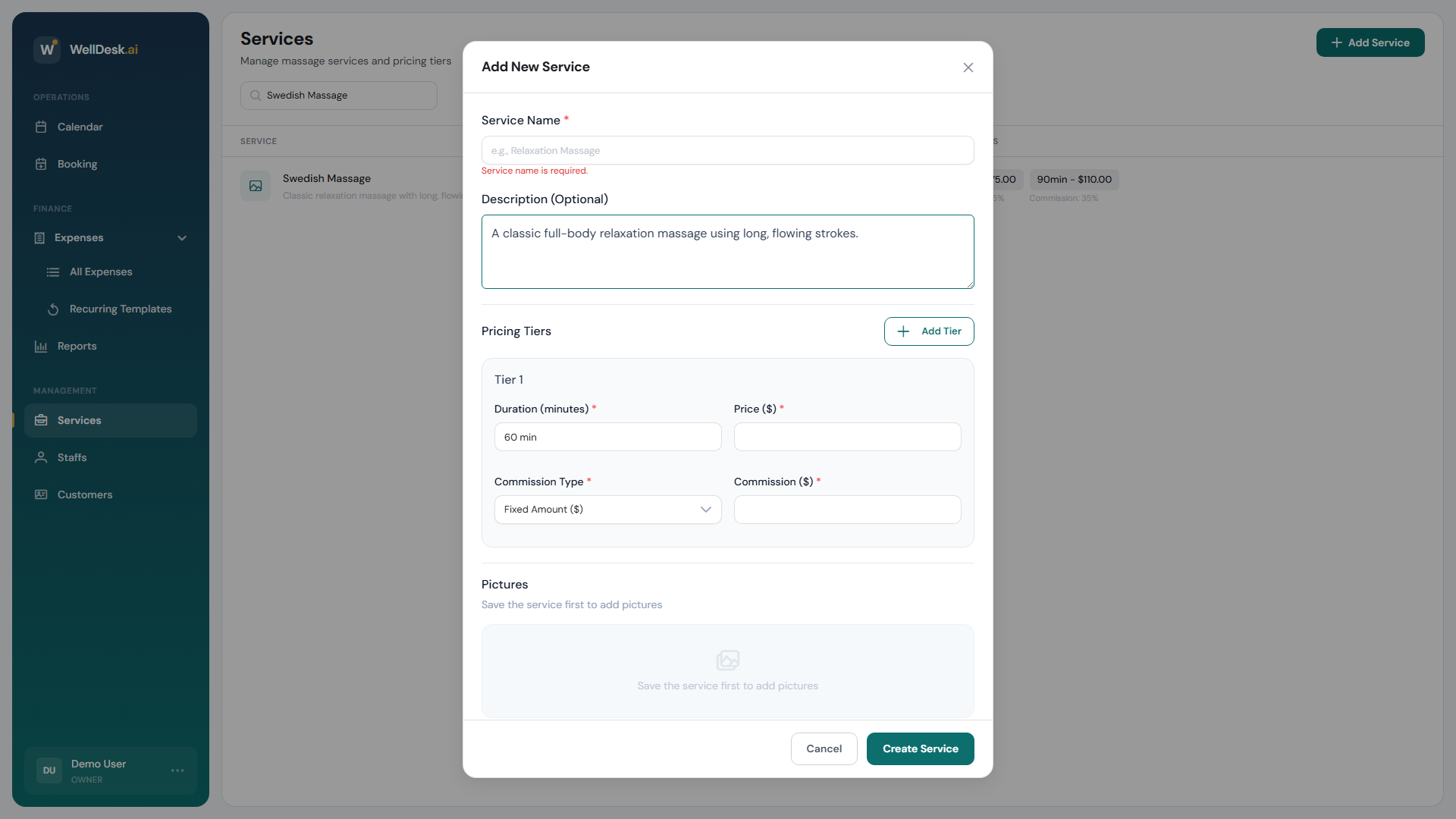
Service details
| Field | Notes |
|---|---|
| Service Name | What customers see. At least 3 characters. |
| Description (Optional) | What the treatment involves. Worth writing — it is what someone reads before choosing. |
Pricing tiers
Every service needs at least one tier. A tier is a duration and a price — that is what a customer is actually choosing.
- Under Pricing Tiers, click Add Tier.
- Set Duration (minutes) — between 15 and 300.
- Set Price.
Add a second tier for the same treatment at a different length, for example 60 minutes at €55 and 90 minutes at €75. See Pricing Tiers.
Pictures
Pictures are added after the service exists — save it first, then reopen it. The dialog tells you as much.
- Upload Picture for your own photos: JPEG, PNG or WebP, up to 5 MB.
- Browse Stock Images if you have none yet, with treatment, ambiance and gallery sets to choose from.
- Set as primary decides which one leads. There is no drag-to-reorder.
- Captions are optional, up to 255 characters.
Your own photo of your own room beats a stock image every time. Stock is a reasonable placeholder on day one, not a destination.
Other languages
If your shop offers more than one language, the Content language switch at the top of the dialog lets you write the name and description again in each one. Customers see their own language on your booking page automatically.
Enable the languages first under Settings → Shop → Regional.
What a service does not have
Worth knowing, because other booking tools have these and WellDesk does not:
- No categories. Services are one flat list. If you have a lot, put the grouping in the names — “Massage — Deep Tissue”, “Massage — Relaxation” — so the list still reads well.
- No per-service buffer. Buffer time is one setting for the whole shop, on Settings → Shop → Booking. See Booking Settings.
- No staff assignment. You do not pick who can perform a service. Anyone bookable can be booked for anything, and availability is decided by working hours alone. If only one therapist does a treatment, say so in the description.
- No hide-from-booking toggle. Every service you create is bookable. To stop offering one, delete it.
After you save
The service appears in the Services list, on your public booking page, and as an option when you create a booking yourself.
Tips
- Describe the treatment, not the mood. “Firm pressure through the back and shoulders, good for desk-related tension” tells someone whether to book. “A relaxing experience” does not.
- Start with the tiers you actually sell. Three durations of everything makes a booking page people scroll past.
- Save, then add pictures. It is a two-step flow and the button is disabled until you do.